I built a provisioning engine that creates a SharePoint team site for every new customer. Create the site, activate features, apply a template, seed a folder structure, add groups, register the site in an inventory list. Roughly ten steps, several minutes end to end, talking to SharePoint and Microsoft Graph the whole way.
The first time step seven failed, I got to watch my engine try to create a site that already existed.
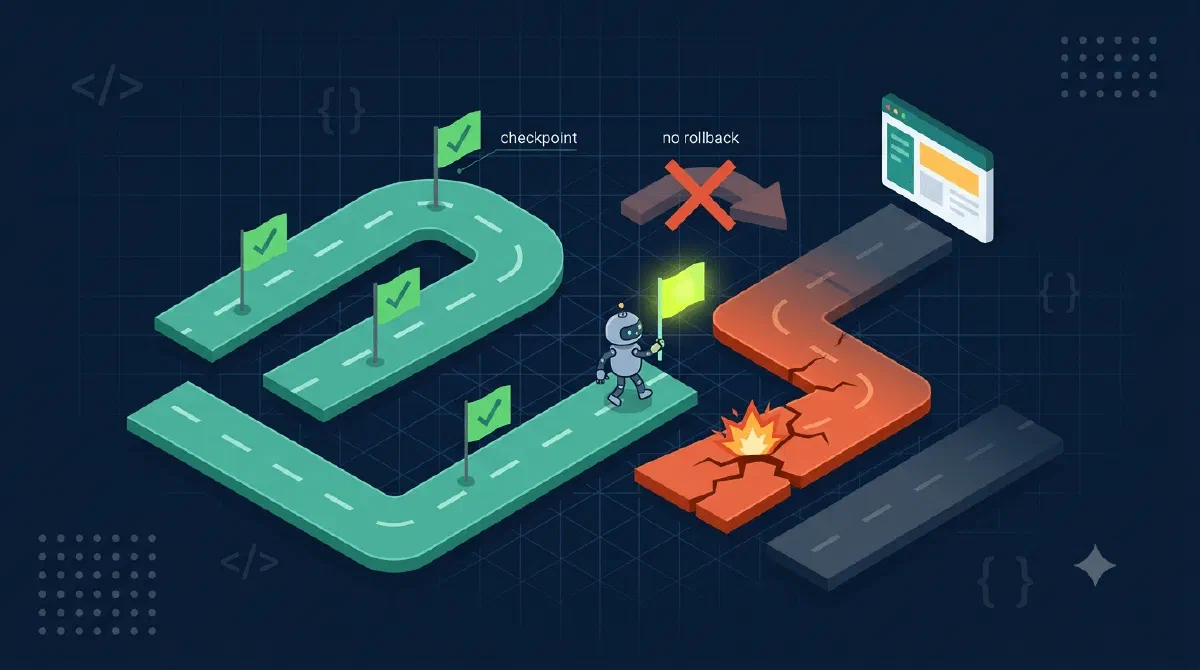
That run taught me the rule this post is about: in a long provisioning flow, you don’t roll back when something fails. You checkpoint, and you resume forward.
If Durable Functions are new to you, start with my intro to what they are and what they can do - this post builds on it.
TL;DR
Track which steps have finished as part of your orchestration state, and publish that state withSetCustomStatus after every completed step. On any rerun, skip what’s already done. When a run dies halfway, don’t undo the half-built site - start a new run seeded with the saved state and continue from the first unfinished step. Rollback is for transactions; provisioning is a one-way street.Why Rollback Is the Wrong Instinct
When provisioning fails at step seven, you have a half-built site. The textbook answer is a compensation saga: undo steps six through one in reverse order. Delete the folders, detach the template, deactivate the features, delete the site, then recreate everything from scratch on the next attempt.
I started sketching that and stopped halfway through the list, because every line was either dangerous or absurd. Deleting a site collection to work around a failed navigation tweak is using a crane to hang a picture. And some steps don’t even have an undo - you can’t meaningfully “unapply” a provisioning template that merged fields into existing lists.
Here’s the thing rollback ignores: the six completed steps aren’t damage. They’re progress. The site is fine; what’s missing is the steps that haven’t run yet. So the only recovery that makes sense is forward: figure out where the run stopped, and continue from there.
That reframes the problem completely. I don’t need compensation logic. I need to know, reliably, which steps finished.
Carry the Progress in the State
Durable Functions makes this natural, because an orchestrator already passes state to each activity and gets state back. The trick is to make “what’s done” part of that state. My orchestration state looks something like this:
public sealed record SiteSetupState(
    string CustomerId,
    string SiteUrl,
    string[] CompletedSteps
);
And the orchestrator walks its steps like this:
var state = context.GetInput<SiteSetupState>() ?? await CreateSite(context, customerId);

string[] pipeline =
[
    nameof(ActivateFeatures),
    nameof(ApplyTemplate),
    nameof(SeedFolders),
    nameof(AddMemberGroups),
    nameof(RegisterSite),
];

foreach (var step in pipeline)
{
    if (state.CompletedSteps.Contains(step))
    {
        logger.LogInformation("{Step} already completed, skipping.", step);
        continue;
    }

    await context.CallActivityAsync(step, state, retryOptions);

    state = state with { CompletedSteps = [.. state.CompletedSteps, step] };
    context.SetCustomStatus(state);
}
What’s happening here?
- The pipeline is just an ordered list of activity names. Nothing clever, and that’s the point - the interesting machinery is around the calls, not in them.
- Before each step, the orchestrator checks whether this step already ran. On a fresh run the array is empty and nothing is skipped. On a resumed run, this check is what fast-forwards past the finished work.
- After each successful step, the state is copied with the step name appended. An immutable
withcopy, so nothing mutates in place, which keeps replays honest. SetCustomStatuspublishes the updated state on the orchestration instance. This is the checkpoint. It costs one line.
That last line is doing more work than it looks like. Custom status is readable from outside the orchestration - through the management API, without touching the orchestration history. So the same call gives you two things: anyone polling the instance sees live progress (“three of six steps done”), and if the run fails, the last published state is sitting right there, telling you exactly where it stopped.
Resume Is Just Input
Because the checkpoint is a plain serializable record, resuming a failed run doesn’t need any special framework support. You read the failed instance’s custom status, and you start a new orchestration with that state as input:
var failed = await client.GetInstanceAsync(failedInstanceId, getInputsAndOutputs: true);
var checkpoint = failed.ReadCustomStatusAs<SiteSetupState>();

await client.ScheduleNewOrchestrationInstanceAsync(
    nameof(SiteSetupOrchestrator),
    checkpoint);
The new run enters the same loop, finds five steps in CompletedSteps, skips them in about a millisecond, and picks up at step six. No site deletion, no re-creation, no duplicate template apply. The half-built site becomes a five-sixths-built site, then a finished one.
I like how little there is to this. The “resume feature” is the skip-check in the loop plus the fact that the input type and the checkpoint type are the same type. That’s it.
The Gap That Idempotency Covers
One honest caveat. The checkpoint is written after the activity succeeds, so there’s a window: the activity finishes, the process dies before the checkpoint lands. On resume, that step’s name isn’t in CompletedSteps, and it runs again.
You can’t close that window - it’s inherent to doing the work and recording the work as two operations. What you do instead is make every activity safe to run twice: check before create, treat “already exists” as success, write with upserts. That’s a full topic on its own, but the division of labor is worth stating plainly: the checkpoint decides how often steps rerun, idempotency decides whether reruns hurt. You need both. The checkpoint alone has a crash window; idempotency alone means re-executing ten minutes of finished work on every hiccup.
And never checkpoint before the call to close the window from the other side - then a crashed step gets skipped on resume, which is far worse. A step that runs twice is a wasted minute; a step that runs zero times is a broken site that says “Completed”. Ask me how I know.
Gotchas
- Use the replay-safe logger. Orchestrator code replays from history every time the instance wakes up.
context.CreateReplaySafeLogger(...)keeps your logs from repeating every completed step on each replay. A regularILoggerin an orchestrator will gaslight you. - No clocks, no GUIDs in the orchestrator.
DateTime.UtcNow,Guid.NewGuid(), andRandomproduce different values on replay and corrupt the history. Anything nondeterministic belongs inside an activity, including generated names and timestamps you want in the state. - Custom status has a size limit (16 KB of JSON). A record with a customer ID, a URL, and an array of step names fits hundreds of times over, but don’t stuff a whole template or file manifest in there. Checkpoint the position, not the payload.
- Step names are a contract. The moment
CompletedStepsis persisted anywhere - a failed instance you might resume next week - renaming an activity breaks the match and the step silently reruns (fine, if idempotent) or the resume misbehaves (not fine). Rename with the same care you’d give a database column. - Report progress somewhere humans look. Custom status is great for machines; my engine also writes the current step name to a status column in the site inventory list, inside a try/catch that logs and swallows. A cosmetic status write must never kill a provisioning run.
Wrapping Up
Long provisioning flows fail in the middle, so design for resuming instead of undoing: carry a list of completed steps in the orchestration state, publish it as custom status after every step, skip completed steps on rerun, and feed the saved state back in to resume. Rollback is for databases. Provisioning goes forward.
References