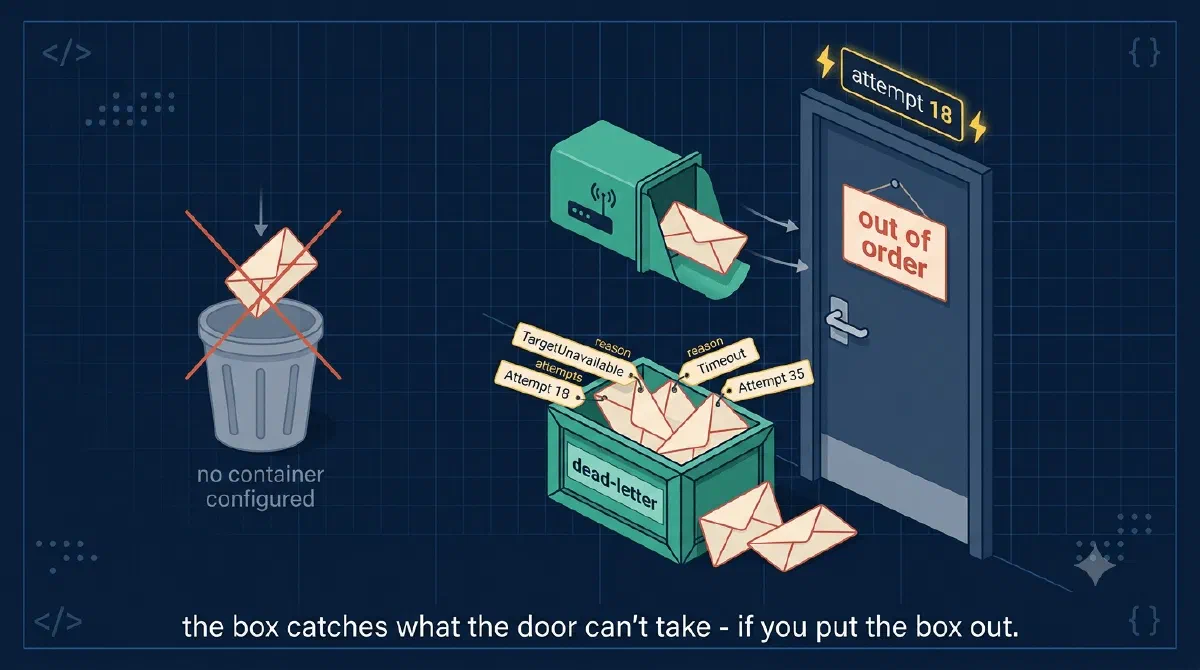
When I wired up Graph mail notifications through an Event Grid partner topic, enabling dead-lettering was one sentence and one checkbox, and I moved on. Storage account, container, done. A safety net I’d hopefully never look at.
Then I asked myself an uncomfortable question: what exactly happens to a mail event when my function is broken for a day? I knew the headline answer - “Event Grid retries for 24 hours, then dead-letters” - but not the details. Which failures retry and which don’t? What’s actually in the container? How do I get an event out again?
Turns out the details matter, because the default answer to “what happens to undeliverable events” is not “they wait in the dead-letter container”. It’s “they’re gone”.
TL;DR
Event Grid retries failed deliveries with exponential backoff for up to 24 hours, then the event is dropped - permanently - unless you’ve configured a dead-letter destination, which is a blob container you point the event subscription at. Some failures skip retries entirely and dead-letter within minutes. Dead-letter blobs contain the full original event plus diagnostics (deadletterreason, delivery attempts, last outcome), so replay is possible but DIY. Turn it on before you need it; it can’t rescue events retroactively.The Last Stop Before Gone
Recall the mental model from the intro post: Event Grid is a router, not a queue. Events aren’t stored; they’re either delivered or they’re not. When a delivery fails, Event Grid retries on a backoff schedule - 10 seconds, 30 seconds, 1 minute, 5, 10, 30, then hourly stretches up to the 24-hour mark.
When the retries run out, one of two things happens:
- Dead-lettering configured: the event is written to your blob container, with diagnostics attached.
- No dead-lettering: the event is dropped. No log, no trace, no recovery.
That second bullet is the whole argument for this post. Dead-lettering is off by default, and a pipeline without it treats every prolonged outage as silent data loss. The container is the lost-and-found box for your events - and if you don’t put the box out, Azure throws lost items straight in the bin.
Turning It On
Two prerequisites: a storage account and a container in it (mine is named mail-events-deadletter). Then, on the event subscription - not the topic - enable dead-lettering and point it at the container. In the portal it lives on the event subscription’s configuration page under Additional Features → Dead-lettering.
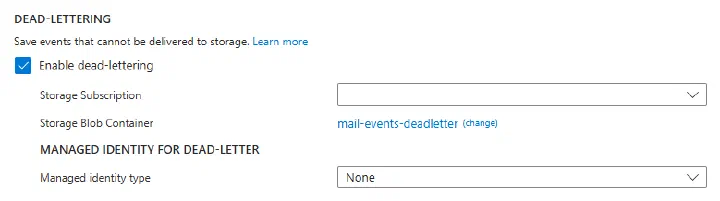
Via CLI it’s the --deadletter-endpoint parameter, which takes the container’s resource path:
az eventgrid partner topic event-subscription update \
  --name es-mail \
  --partner-topic-name <partner-topic-name> \
  --resource-group rg-my-app \
  --deadletter-endpoint "/subscriptions/<subscription-id>/resourceGroups/rg-my-app/providers/Microsoft.Storage/storageAccounts/<storage-account>/blobServices/default/containers/mail-events-deadletter"
Do it per subscription: I have two (mail handler + reauthorization handler), and both dead-letter to the same container. If you use a managed identity for dead-lettering, the identity needs a blob data role on the storage account, or the writes silently fail.
While you’re on that blade, the retry policy knobs live next door: maximum delivery attempts (1-30, default 30) and event time-to-live (1-1440 minutes, default the full 24 hours). Whichever limit hits first wins. I left both at default - for mail, I want every minute of retrying I can get.
Not Everything Waits 24 Hours
Here’s the detail that changed how I think about the container. The 24-hour schedule only applies to failures that are worth retrying. Some HTTP responses tell Event Grid the delivery will never succeed, and those skip the queue:
- 400 Bad Request and 413 Request Entity Too Large are never retried - the event is scheduled for dead-lettering immediately.
- 403 Forbidden isn’t retried either.
- For plain webhook endpoints, 401 Unauthorized also means no retries. For Azure resource endpoints (like a Function), 401 gets retried on a slow schedule - which once saved my mail pipeline from an auth misconfiguration, but that’s a story for a later post.
So the dead-letter container isn’t only a “24 hours later” archive. A poison event - one your handler rejects with a 400 every time - can be sitting in blobs within minutes of publishing. Which is great news for debugging: the evidence arrives while the incident is still warm.
One more wrinkle: an endpoint that keeps failing gets put in probation, where Event Grid pauses deliveries entirely for a cooldown. During probation, events can be dead-lettered or dropped without a delivery attempt. The system protects itself; your container catches the fallout.
Anatomy of a Dead-Letter Blob
The blobs land in your container under a path that includes the topic and subscription names, batched into JSON arrays. Each event is the original CloudEvent, untouched, plus four diagnostic fields bolted on:
{
  "specversion": "1.0",
  "id": "8f0f0e58-2c5e-4c4a-9f5e-4a1b2c3d4e5f",
  "source": "/tenants/<tenant-id>/applications/<app-id>",
  "type": "Microsoft.Graph.MessageCreated",
  "data": { "subscriptionId": "<graph-subscription-id>", "...": "..." },

  "deadletterreason": "MaxDeliveryAttemptsExceeded",
  "deliveryattempts": 18,
  "lastdeliveryoutcome": "TimedOut",
  "publishtime": "2026-11-18T09:14:32.4018726Z"
}
What’s happening here?
- The original event is intact - envelope, payload, everything. Replay needs nothing else.
deadletterreasonsays why it ended up here:MaxDeliveryAttemptsExceededorTimeToLiveExceededfor exhausted retries, and client-error reasons for the immediate cases.lastdeliveryoutcomeis the last thing your endpoint said (or didn’t):TimedOut,BadRequest,Unauthorized,SocketError, and a dozen more. This field usually points straight at the root cause.deliveryattemptstells you whether this was a slow 24-hour death (high number) or an instant rejection (1). Two very different bugs.
Two timing facts to save you a confused debugging session: there’s a five-minute delay between the last failed attempt and the blob appearing (Event Grid batches the writes), so don’t panic when it’s not there instantly. And if the dead-letter storage itself is unreachable for four hours, the event is dropped after all - the safety net has its own safety limit.
Getting Events Back Out
There’s no replay button. The container is storage, not a queue, so getting an event back into your pipeline is a do-it-yourself exercise - by design, since only you know whether replaying is safe.
My approach: a small dev endpoint that takes a dead-lettered blob, strips the four diagnostic fields, deserializes the CloudEvent, and calls the same service class the real trigger uses. The handler can’t tell the difference, and every validation (clientState, decryption, dedupe) runs exactly as it would have the first time. That last part matters - because delivery is at-least-once, the handler was already built to survive seeing an event twice, and replay leans on the same idempotency.
If you’d rather not build anything: for low volumes, reading the blob and POSTing its event to the local trigger endpoint (the aeg-event-type: Notification trick from the setup post) works fine as a manual rescue.
Gotchas
- Off by default means dropped by default. No dead-letter destination, no second chances. This is the first thing to configure after the subscription itself, not a hardening task for later.
- The blob takes five minutes to appear. Testing dead-lettering and staring at an empty container is normal for the first few minutes. Wait before concluding it’s broken.
- The container holds real payloads. My events carry encrypted mail content, but the envelope metadata is still there in plaintext. Lock the container down like production data, and put a lifecycle policy on it so blobs expire after a sensible retention window instead of accumulating forever.
- A poison event dead-letters fast and repeatedly. If your handler 400s on a malformed payload, every occurrence of that payload lands in the container within minutes. A suddenly busy container can mean one bug, not one outage.
- Storage can fail too. Four hours of unreachable dead-letter storage and events are gone anyway. One more reason the storage account should be boring, local, and free of clever networking.
Wrapping Up
Dead-lettering is the difference between “Event Grid gave up” and “Event Grid gave up, and here’s the event, the reason, and the last response your endpoint sent”. One container, one checkbox per subscription, five minutes of setup. Rule of thumb: a router doesn’t store anything for you, so give every event subscription a place to put the events it couldn’t deliver - before the first outage, not after.
Next question: how do you find out the container is filling up without staring at it? That’s the alerting post, coming up next.
References