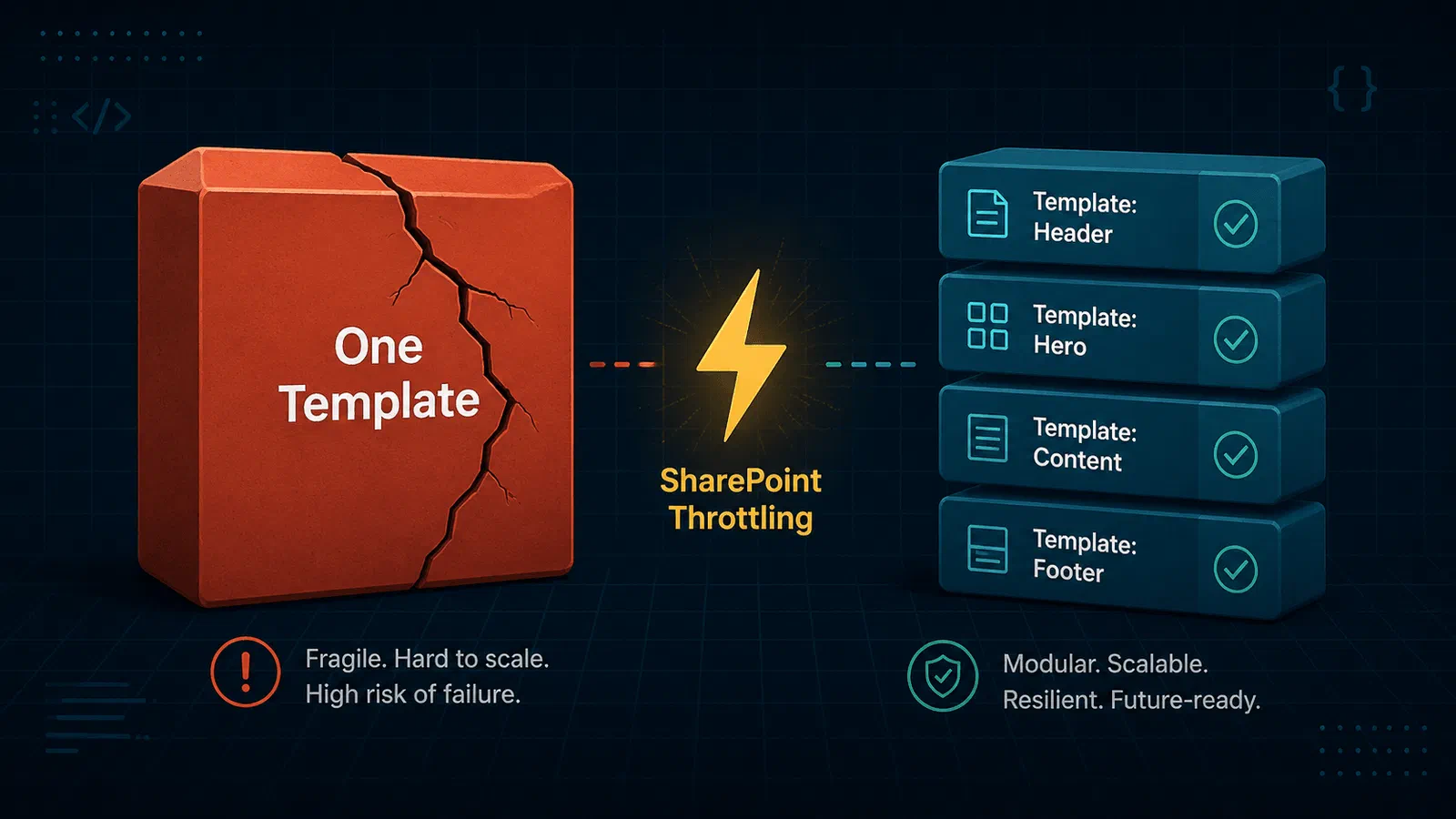
Every time I sit down to build a SharePoint provisioning engine, I hit the same dilemma: do I put everything into one big PnP template, or do I split it into many smaller ones — one per feature?
Both approaches work. Both have real trade-offs. And for a long time I did not have a strong opinion either way. Then I started testing with Dev Proxy and suddenly the answer became very clear to me.
TL;DR
- PnP Framework already handles 429 throttling internally — converting to
PnPClientContextis a simple way to raise the retry count above the default of 10. - When throttling is so sustained that PnP exhausts all its retries, a monolithic template restarts from scratch — wasting all progress made before the failure.
- Modular templates (one per feature) mean that when PnP finally gives up on one, your outer retry skips everything that already succeeded and only re-runs what failed.
- I would never have discovered this distinction without simulating throttling with DevProxy.
What Is a PnP Provisioning Template?
If you have not worked with PnP provisioning before: a PnP Provisioning Template is an XML (or JSON) file that describes the structure of a SharePoint site. It can contain:
- Lists and libraries — custom columns, views, and settings
- Content types — site or list content types with their fields
- Pages and web parts — modern pages, hero sections, text blocks
- Navigation and branding — site navigation structure, themes, logos
You apply a template to a site using the PnP Framework library for .NET, which reads the file and provisions everything described in it. The library handles the order of operations, dependencies between objects, and a lot of edge cases you would rather not think about.
The typical entry point looks like this:
web.ApplyProvisioningTemplate(template, applyInfo);
One call. One template. PnP handles the rest — until throttling enters the picture.
The Monolith Approach
The simplest way to structure your provisioning is one template that contains everything. All lists, all content types, all pages, all navigation — in a single file.
Pros:
- ✅ Simple to manage — one file, one version, one deployment artifact
- ✅ Easy to apply — a single
ApplyProvisioningTemplatecall - ✅ PnP handles dependencies between objects internally
Cons:
- ❌ All-or-nothing retry — if anything fails, you restart from the beginning
- ❌ Long templates take a long time to apply, which means long retries too
- ❌ Hard to reason about what failed and where
The all-or-nothing behavior is the killer. SharePoint throttles aggressively under load, and ApplyProvisioningTemplate does not pick up where it left off. Under a sustained throttle — the kind where even 15 retries at the CSOM call level are not enough to get through — the template application eventually throws a MaximumRetryAttemptedException — a PnP-specific exception signalling that all retry attempts were used up. At that point your outer retry logic has no choice but to start the whole template over from the very first list.
The Modular Approach
The alternative is splitting your template into multiple smaller files, each representing a logical feature or concern. For example:
01-lists-and-libraries.xml02-content-types.xml03-pages.xml04-navigation.xml
You apply them in sequence, and after each one completes successfully you record that fact in memory. If a template fails, you retry only from the failed template — not from the beginning.
Pros:
- ✅ Granular retry — only the failed feature is re-applied
- ✅ Faster recovery from throttling
- ✅ Easier to reason about failures (“pages failed, lists are fine”)
- ✅ Easier to test individual features in isolation
Cons:
- ❌ More files to manage and version
- ❌ Ordering matters — you need to think about dependencies
- ❌ Slightly more orchestration code on your end
The trade-off is real. Modular means more moving parts. But for resilience, the payoff is significant.
Testing With DevProxy — Where It Got Interesting
I wanted to put both approaches through their paces under realistic throttling conditions. For that I used Dev Proxy with two plugins:
- GenericRandomErrorPlugin — injects random 429 responses to simulate SharePoint throttling unpredictably
- RateLimitingPlugin — caps requests per second to trigger organic throttling at volume
With these configured, I ran my provisioning engine against both template structures.
The result with the monolithic template: PnPClientContext did its job — it absorbed a lot of 429s silently and kept going. But under sustained throttling, the retries ran out, PnP threw a MaximumRetryAttemptedException, and my outer retry had to restart it from scratch. From list number one. Even though we were deep into page provisioning when it failed.
The result with modular templates: the same CSOM-level retry absorbed the same throttling. But when a sustained burst finally exhausted PnP’s retries on the pages template, my retry loop skipped straight to 03-pages.xml — lists and content types had already been marked done in memory and were left alone.
This is exactly the kind of thing that looks fine in a happy-path test, but silently destroys your provisioning SLA in production.
PnPClientContext: Bump the Retry Count for Provisioning
The PnP Framework’s internal CSOM calls already use ExecuteQueryRetry() — an extension method that handles 429 throttling with exponential backoff, respecting the Retry-After header SharePoint returns. You get this for free with a plain ClientContext. The default is 10 retries.
If you expect heavier throttling during provisioning — and a large site with lots of lists, content types, and pages is a reasonable place to expect it — you can easily raise that limit by converting to a PnPClientContext:
using var siteCtx = CSOMClientFactory.Create(provCtx.NewSiteUrl, credential);
var pnpCtx = PnPClientContext.ConvertFrom(siteCtx, retryCount: 15);
That is the entire change. The provisioning code picks up the higher retry count automatically. Your outer retry logic only comes into play if throttling is so sustained that even 15 attempts on a single CSOM call are not enough — at which point PnP throws a MaximumRetryAttemptedException.
Idempotency Strategy
The key property that makes modular templates safe to retry is idempotency — applying a template that has already been applied should not cause errors or duplicate data. PnP handles most of this for you: before creating a list, content type, or page, it checks whether it already exists.
A very simple example of how this looks in practice:
foreach (var source in config.Templates)
{
    var template = LoadTemplate(source);
    pnpCtx.Web.ApplyProvisioningTemplate(template, applyInfo);
}
If this loop is re-invoked after a failure (for example by an Azure Function retry policy), templates that already completed will be re-applied — but because each template is idempotent, that is safe. The already-provisioned lists and pages are left untouched. The only cost is the time it takes to re-apply them.
That wasted time is the whole point. With a monolithic template, a retry means re-applying everything from scratch. With modular templates, it means re-applying a small number of already-done features before reaching the one that actually failed.
Comparison
| One Big Template | Many Small Templates | |
|---|---|---|
| Retry granularity | Entire template restarts | Only failed feature retries |
| Restart cost | High — full re-apply | Low — one feature re-applies |
| Complexity | Low — one file, one call | Medium — ordering, orchestration |
| Idempotency needed | Once per template | Once per template (still needed) |
| DevProxy testability | Easy to test the whole flow | Easier to isolate a specific feature |
| Best for | Simple sites, low throttle risk | Complex sites, production resilience |
Verdict
Neither approach is universally correct. If you are provisioning simple sites with low template complexity and you are not worried about throttling, a monolithic template is perfectly fine and a lot less work to maintain.
But if you are building a production provisioning engine that needs to be resilient — where throttling is a real risk, where retries need to be efficient, and where you care about how long a failure takes to recover from — modular templates win clearly.
The combination that works best for me is: modular templates + PnPClientContext with conservative retry settings. PnPClientContext handles the low-level CSOM throttling so most 429s never surface at all. When they do surface (and eventually they will), modular templates ensure your retry loop does the minimum amount of work to get back on track.
Conclusion
The biggest takeaway for me is not even the monolith-vs-modular debate. It is that I never would have found this out without DevProxy. Happy-path testing showed no difference between the two approaches. It was only when I introduced realistic throttling that the behavior diverged in a way that actually matters.
If you are building any kind of SharePoint automation that makes CSOM or Graph calls under load, DevProxy should be a standard part of your testing setup. It is free, it integrates with your local development environment, and it reveals exactly the kind of subtle failure modes that only appear in production.
References
- PnP Framework on GitHub
- Dev Proxy overview
- SharePoint throttling and retry guidance
- PnPClientContext — ExecuteQueryRetry docs