
AllowIncrementalResults: CAML Past the 5,000 Item Wall
Learn how to query SharePoint lists beyond the 5,000 item list view threshold in CSOM with AllowIncrementalResults, paging and indexed columns.
Making Microsoft 365 APIs faster and cheaper: batching, caching, ETags, change detection, and what a wasted API call actually costs you.
This is the topic I care about most, because it is the one that shows up on an invoice. Microsoft 365 APIs are metered, throttled, and slower than local code, so the difference between a naive implementation and a careful one is not style. It is minutes of user time and real money.
The patterns repeat across every service: batch instead of looping, ask for less, cache what does not change, and check whether a write is necessary before making it. One job here went from ninety to a hundred and twenty seconds down to twenty-five to thirty-five. A separate one turned out to be spending most of its calls writing values that were already correct.
I try to publish the measurements rather than adjectives. Read them as evidence that a technique helped in one specific case, not as a benchmark.
Learn how to query SharePoint lists beyond the 5,000 item list view threshold in CSOM with AllowIncrementalResults, paging and indexed columns.

Learn which SharePoint queries survive the 5,000 item list view threshold, with CAML joins, CSOM, REST, Graph and $batch measured on a 10,000 item list.

Learn how to forward the browser's If-None-Match header to Azure Blob Storage with BlobRequestConditions, so unchanged files never leave storage at all.

Learn how a single Azure Function with a catch-all route can proxy an entire static website out of a private Blob Storage container, with auth in front of every file.

Learn how to speed up SharePoint CSOM with five proven techniques - batching, CAML joins, change detection, server-side exception handling, and fast taxonomy loading.
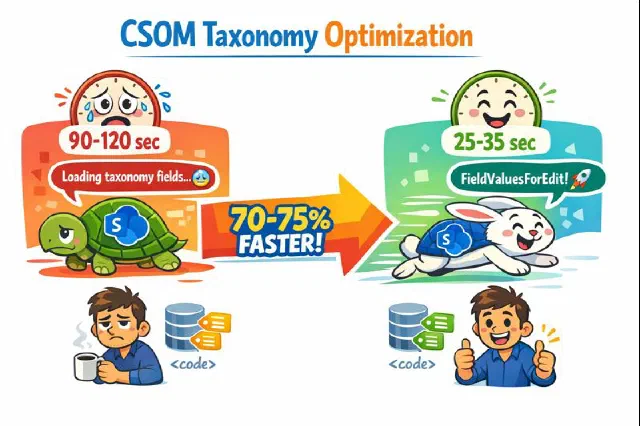
An undocumented but effective approach to dramatically speed up CSOM taxonomy field loading when dealing with SharePoint list items that have many terms.

The SharePoint API call that wasted resources is now optimized with smart change detection, reducing unnecessary updates and costs.

Discover how SharePoint's ExceptionHandlingScope can optimize your API calls, reduce costs, and enhance performance with server-side exception handling.

Learn how to effectively debounce SharePoint webhooks to optimize performance and reduce unnecessary operations when users frequently click save.
Learn smart retry logic for Microsoft Graph batching to optimize API calls, reduce throttling, and enhance user experience.
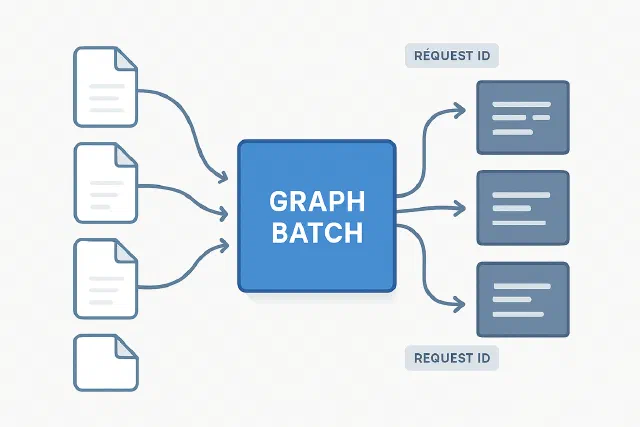
How to handle Graph batching when downloading file content and mapping responses back to original requests

Learn how to dramatically improve CSOM performance by batching operations instead of executing them one by one

Discover how to simulate Microsoft Graph and SharePoint throttling locally using DevProxy, and prevent production slowdowns before they happen.

Learn how to efficiently query multiple SharePoint lists using CAML joins instead of multiple API calls to avoid throttling
No posts match — try another search.