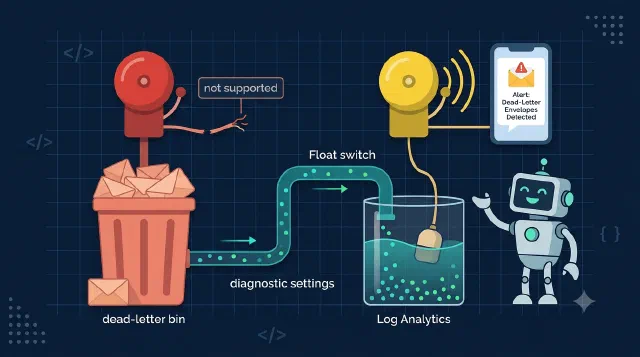
Alerting on Event Grid Dead-Letters When the Portal Says No
Learn how to get alerts on dead-lettered Event Grid events from a partner topic using diagnostic settings, Log Analytics, and a log search alert.
Azure Event Grid for Microsoft 365 events: Graph mail via partner topics, dead-lettering to blob storage, alerting on dead letters, and Easy Auth getting in the way.
Event Grid is how I stopped polling. Instead of asking Microsoft 365 every few minutes whether anything happened, the events arrive, and the code that handles them gets to be a small function with one job.
This topic covers the whole chain: what Event Grid is and why a partner topic beats a webhook subscription for Graph mail events, where events go when delivery fails, how to get an alert about those dead letters when the portal will not offer you one, and the Easy Auth setting that silently rejects deliveries until you exclude the right path.
It is a small topic, and it reflects a recent change in how I build these integrations. I am not going back to polling.
Start here: What Is Azure Event Grid (and Why I Don't Poll)
Learn how to get alerts on dead-lettered Event Grid events from a partner topic using diagnostic settings, Log Analytics, and a log search alert.
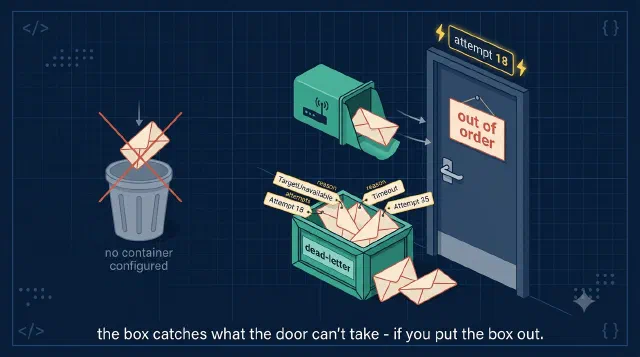
Learn how to set up dead-lettering for Azure Event Grid to a blob container, what the dead-letter blobs contain, and how to replay lost events.
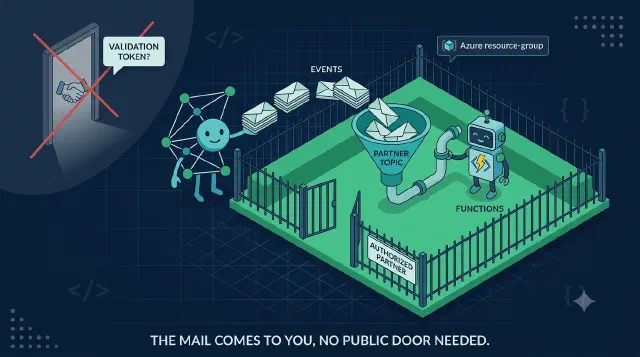
Learn how to deliver Microsoft Graph mail notifications to an Azure Function through an Event Grid partner topic, with no public webhook or handshake.
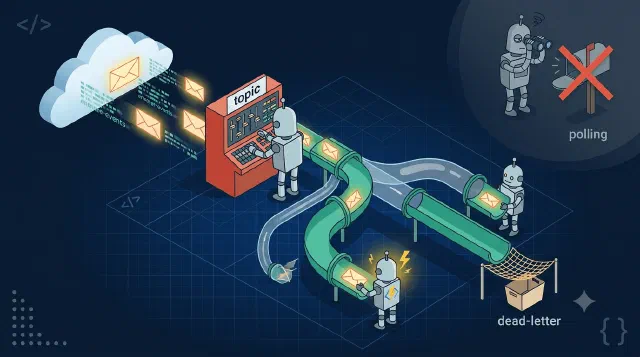
Learn what Azure Event Grid is, how topics, subscriptions, and dead-lettering fit together, and when to pick it over a queue.
No posts match — try another search.